
Overview and Launches show how people find your public blueprint, where they drop off, and which sandboxes are live.
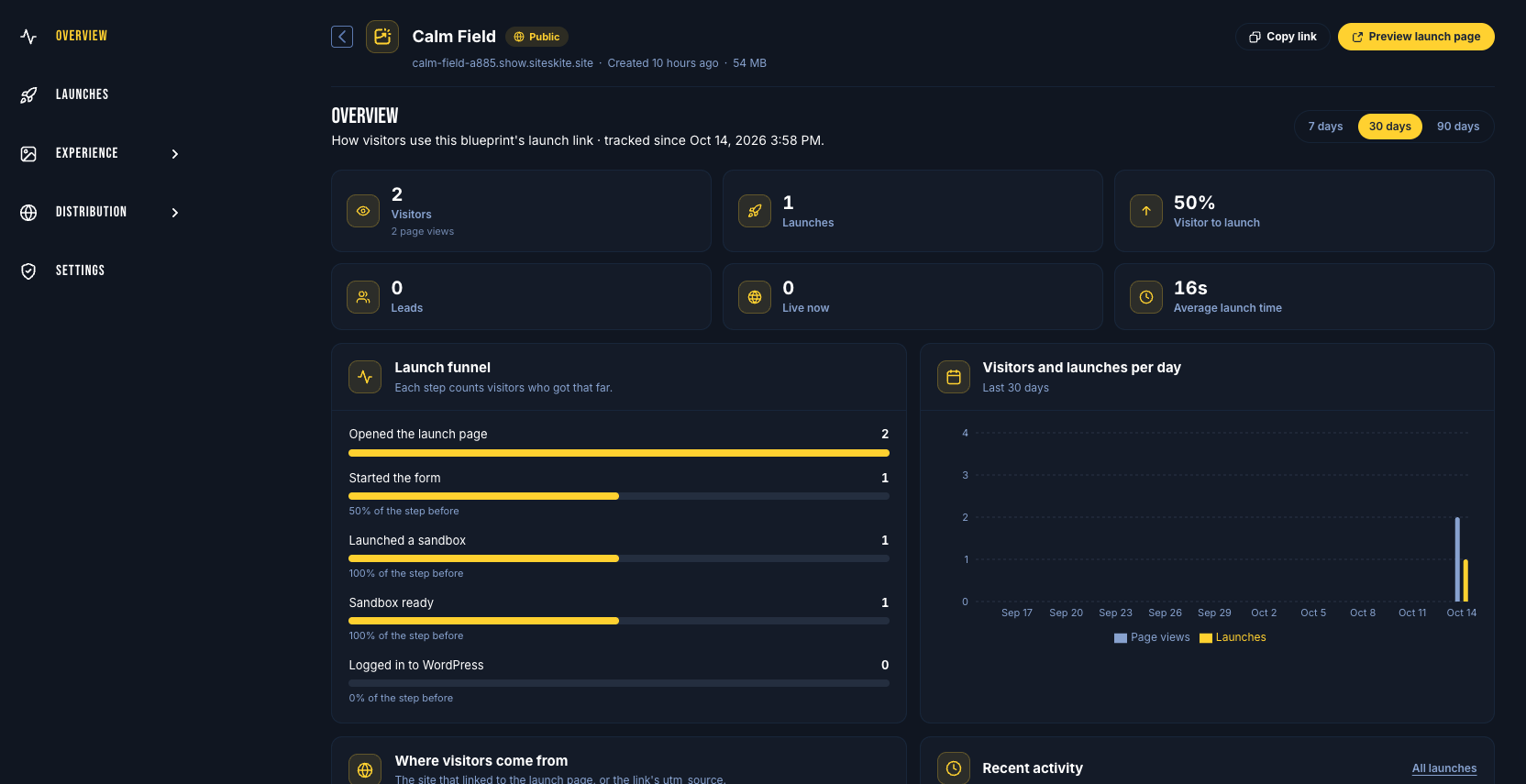
Open Overview
Go to Blueprints
Open a blueprint (or click Insights on a row)
Stay on Overview (default)
Choose a range of 7, 30, or 90 days.
Metrics on Overview
Visitors — people who opened the launch page
Launches — sandboxes started
Visitor to launch — conversion rate
Leads — visitors who shared an email (when capture is on)
Live now — sandboxes still running
Average launch time — how long sandboxes take to become ready
Launch funnel
The five-step funnel shows how many people:
Viewed the launch page
Started the form
Launched a sandbox
Got a ready site
Logged in to WordPress
Use this to see where visitors drop off. Overview also charts visitors and launches per day and groups traffic by referrer / utm_source.
Note: Your own visits as the owner are not counted. Private blueprints only show signed-in launches until you share a public link.
Launches list
Open the blueprint
Click Launches
Filter by All, Live, Preparing, Failed, or Expired. Search by site, email, or source. Export CSV when you need a report.
What you can do per launch
WP Admin — open WordPress when the sandbox is ready and you own it
Delete — remove a sandbox early (owned, not expired)
Expired sandboxes leave the list, but Overview keeps historical funnel data. Launches by other signed-in users may appear without open/delete actions.
Tips
Create tracked links on Share & embed so Overview attributes newsletter vs docs vs campaigns
Turn on visitor email if you want Leads and follow-up
Watch Preparing launches; the list refreshes while sandboxes are building