
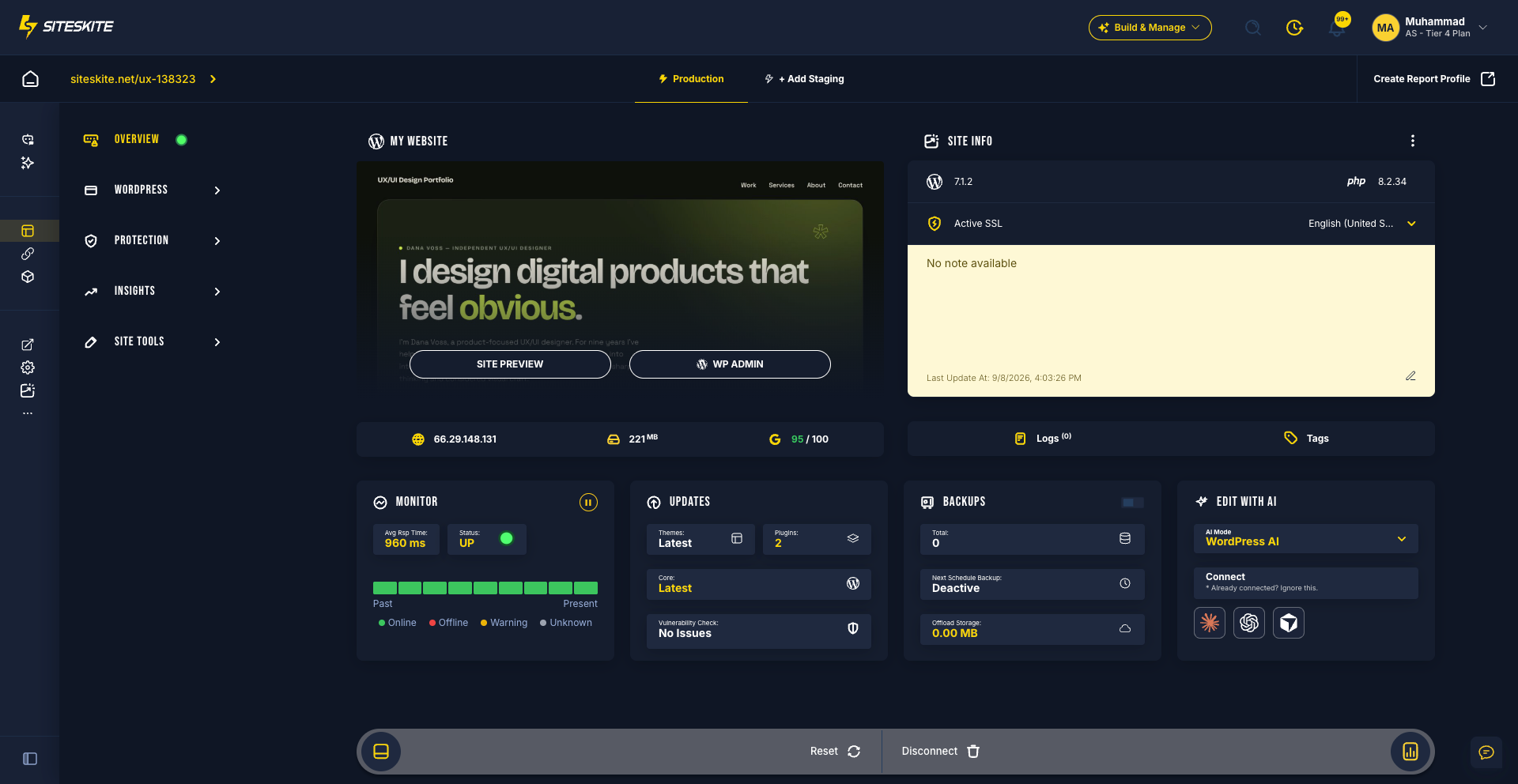
SiteSkite is a cloud WordPress WebOps platform for agencies, freelancers, and developers. It covers the full site lifecycle—from AI-assisted builds to day-to-day maintenance—so you operate updates, backups, environments, monitoring, demos, and client reports from one portal instead of juggling host panels and browser tabs.
What SiteSkite helps you do
Operate everything in one place — linked sites, environments, updates, and backups without scattering work across tabs
Recover before it becomes downtime — rollbacks, restores, Safe Mode, uptime tracking, and vulnerability alerts
Scale a consistent workflow — the same process whether you manage a handful of sites or a large portfolio
Core platform areas
Automation & intelligence
AI Site Studio — describe a site, refine in Feedback mode, then publish to WordPress or export a ZIP (Growth and above)
MCP Support — connect Claude, ChatGPT, or Cursor to WordPress operations
BYO LLM — bring your own model keys on Growth and above
Smart Engine — bulk plugin, theme, and core updates with rollback visibility
WP Essentials — apply standard plugin stacks in one click
Blueprints — turn a finished sandbox into a reusable demo with a branded launch page, leads, and funnel analytics
Control layer
Linked Sites — manage WordPress sites from one dashboard
1-Click Admin Login and WP User Management
Teams & Users — invite teammates and clients with roles
White Label — brand the plugin, reports, and demos for agencies
Reports — scheduled branded PDF maintenance reports, including custom work hours
Search Console and Google Analytics (GA4) beside maintenance data
WP Canvas, Pretty Logs, and Notifications (email / Slack)
Reliability
Backups — on-demand, daily, or weekly on paid plans; classic and incremental options
BYO Cloud Storage — Google Drive, Dropbox, Backblaze B2, AWS S3, and more
Monitor — uptime, SSL, domain expiry, BirdEye portfolio view, and PageInsights
Rollback, Safe Mode, and Vulnerability Detection
Infrastructure & environments
Sandbox sites — disposable WordPress environments for safe testing
Sandbox from backup — clone a live site for troubleshooting
Production & staging, migrate to another host, and clone workflows
Who SiteSkite is for
Agencies — maintenance at scale, white label, client reports, and team access
Freelancers — one portal for every client site without shared logins everywhere
Developers & product teams — sandboxes, blueprints, MCP, and Safe Mode for safer changes
Businesses — keep company WordPress sites updated, backed up, and monitored
Plans at a glance
Free — one linked site with core WebOps tools to try the platform
Advanced — full WebOps (from $2.99/mo): sandboxes, blueprints, reports, white label, team access, and AI credits for chat & automation
Growth and above — AI Site Studio, BYO AI Model, and higher site/storage/credit limits
Paid plans include a 7-day trial with no credit card required to start. See current limits on siteskite.com/pricing.
In short, SiteSkite turns scattered WordPress maintenance into a structured WebOps workflow—build, protect, monitor, demo, and report from one cloud platform.