
Custom work sections capture the jobs automation can’t see—checkout tests, form rebuilds, late-night fixes—so clients see where the retainer went.
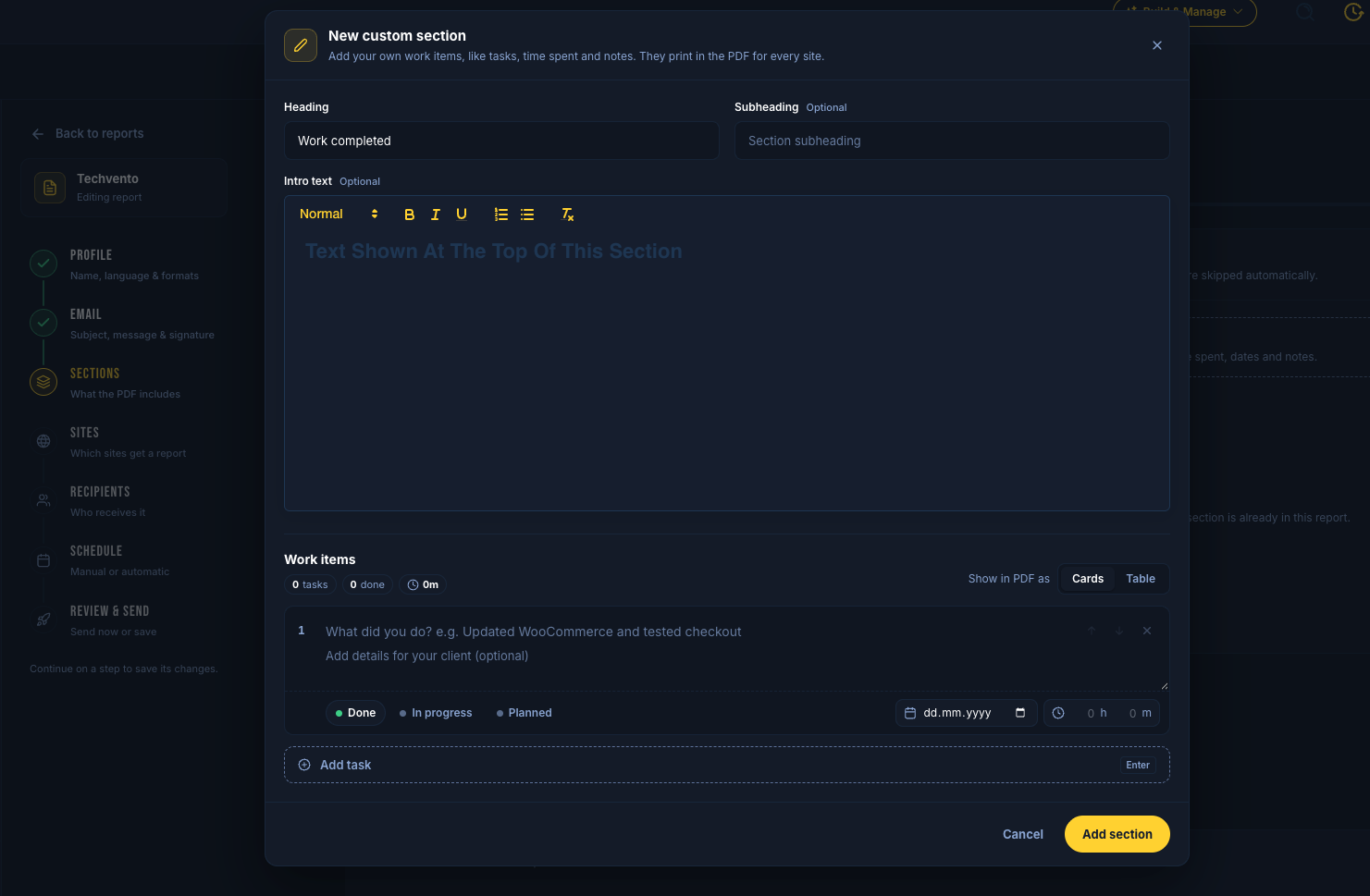
Add a custom section
Open Reports → create or Edit a profile
Go to the Sections step
Create a custom section (in addition to built-in ones like Actions or Backups)
Actions still lists SiteSkite maintenance activity. Custom work is for the work you log yourself.
Add tasks
Each task can include:
Title and description
Date
Minutes spent
Status: Done, In progress, or Planned
You can add up to 50 items per custom section. SiteSkite totals tasks and hours for the PDF.
How they print
Display as Cards or a Table
Drag the section anywhere in the report order
Edit the section heading and intro like other sections
Tips
Keep one custom section for billable retainer work and another for planned roadmap items
Update tasks before the scheduled send so the PDF matches the period you chose on Review
Pair custom work with Cover branding and your own From domain for a fully white-labeled client pack